· luka2chat · Development Tools · 4 min read
I Redesigned My Entire Website in One Hour — Without Writing a Single Line of Code
How I used Cursor Agent to completely redesign my portfolio site, taking inspiration from impeccable.style, and went from a generic template look to an editorial, magazine-quality aesthetic — fully autonomously.
My personal website looked… fine. It worked. It had all the right sections — hero, projects, stats, FAQ, footer. But it also looked like every other developer portfolio out there. The default blue buttons, centered text, rounded cards — you know the look. It screamed “template.”
I wanted something different. Something that felt more like a magazine than a GitHub README.
The Inspiration
I stumbled upon impeccable.style, a design skill plugin for AI coding tools by Paul Bakaus. The website itself is beautifully crafted — elegant serif typography, generous whitespace, numbered sections, subtle dividers, and a restrained magenta accent color. It felt sophisticated, editorial, and intentional.
I thought: Can I make my site feel like that?
The Experiment
Instead of opening Figma or manually tweaking CSS files for days, I decided to try something different. I opened Cursor, fired up a Cloud Agent, and gave it one simple instruction:
“I want my website to have a design style like https://impeccable.style/#hero. Help me optimize the whole thing.”
Then I walked away.
What Happened Next
The Cursor Agent went to work — completely autonomously. It:
- Visited impeccable.style and studied the design (took screenshots, analyzed the typography, colors, layout, and spacing)
- Explored my entire codebase to understand the Astro project structure
- Planned a comprehensive redesign across 21 files
- Executed every change — from installing a new serif font to rewriting component templates
- Built the project to verify zero errors
- Spun up a dev server and visually tested every section
- Even toggled dark mode to make sure it looked good both ways
The whole process took about one hour. No human intervention. No back-and-forth. Just one prompt and a fully autonomous agent doing what would have taken me an entire weekend.
Before & After
Hero Section
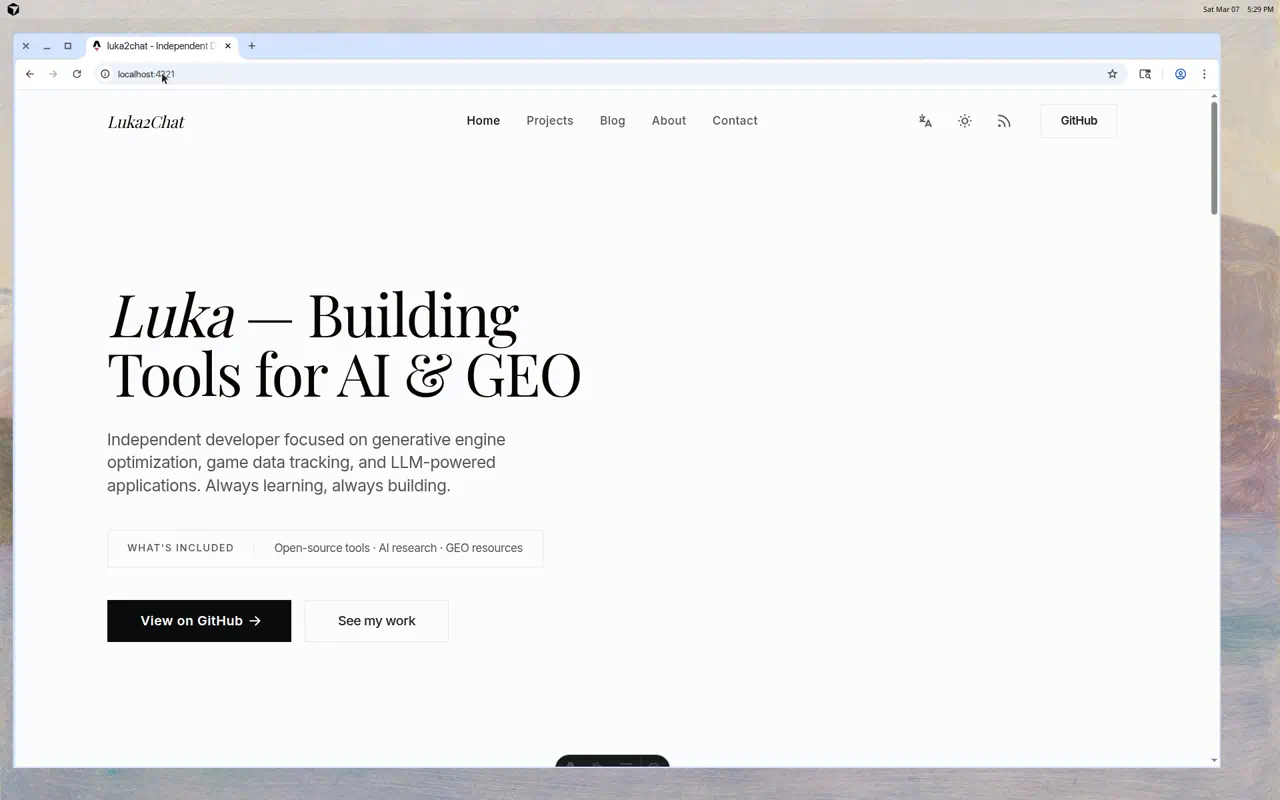
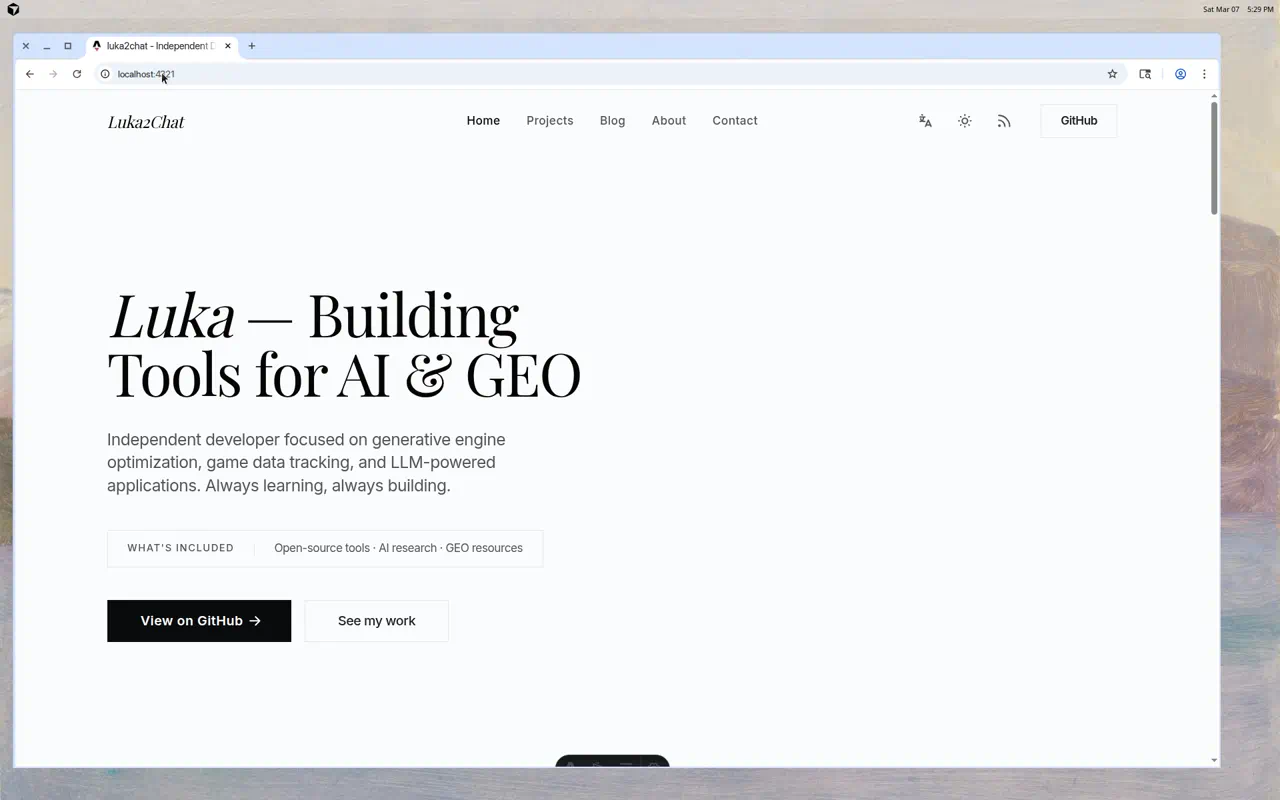
Before — Centered text, bold sans-serif, blue buttons. Generic template energy.

After — Left-aligned editorial layout, elegant Playfair Display serif headings, high-contrast black CTAs, and a content badge. Sophisticated and intentional.
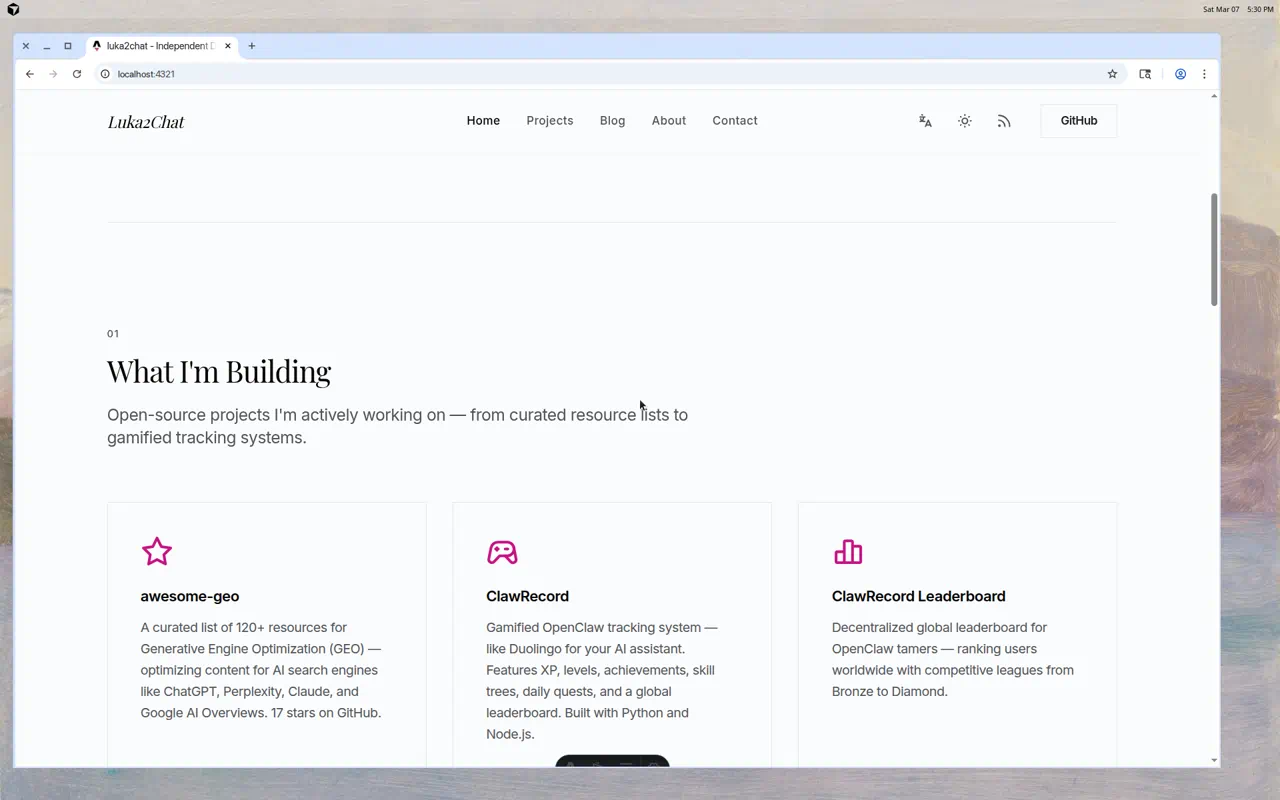
Projects Section
Before — Standard card grid with blue accent icons on a gray background.
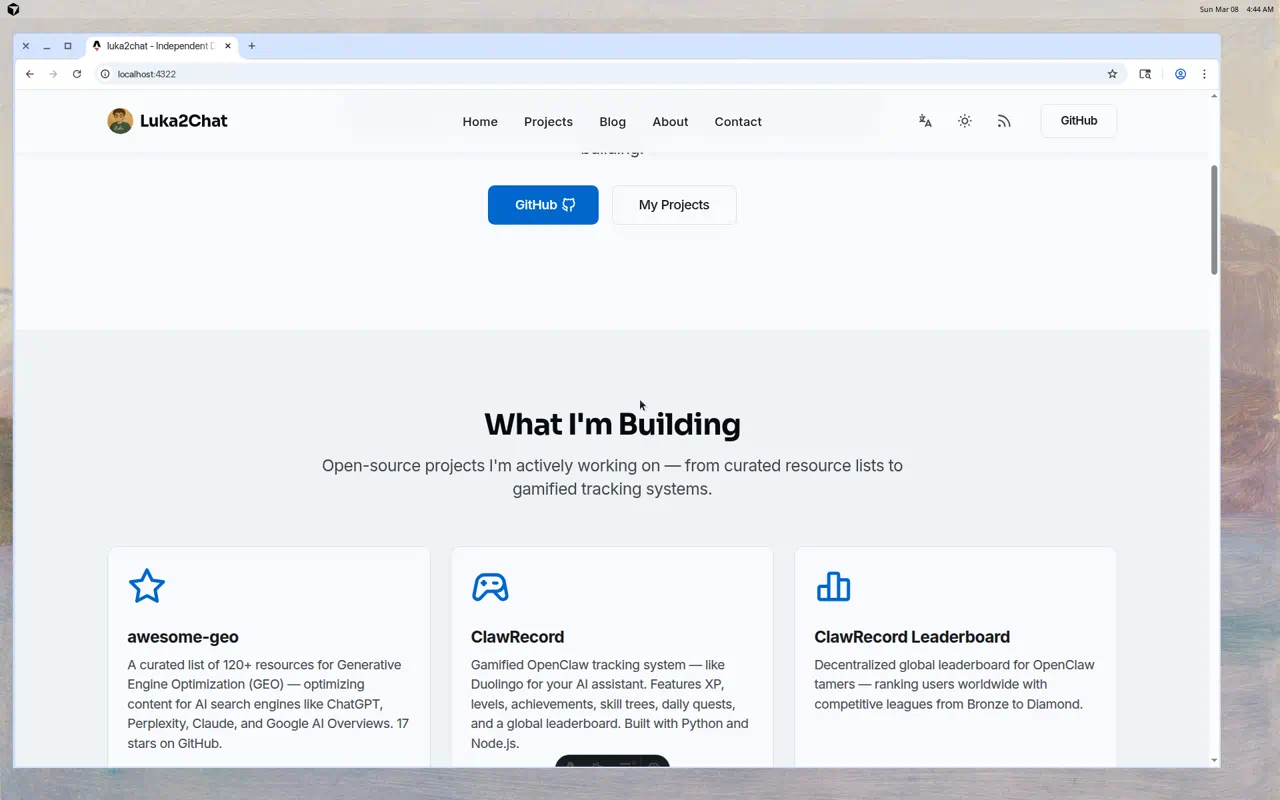
After — Clean cards with subtle borders, magenta accent icons, numbered section label (01), and generous whitespace. Every section now has a clear visual hierarchy.
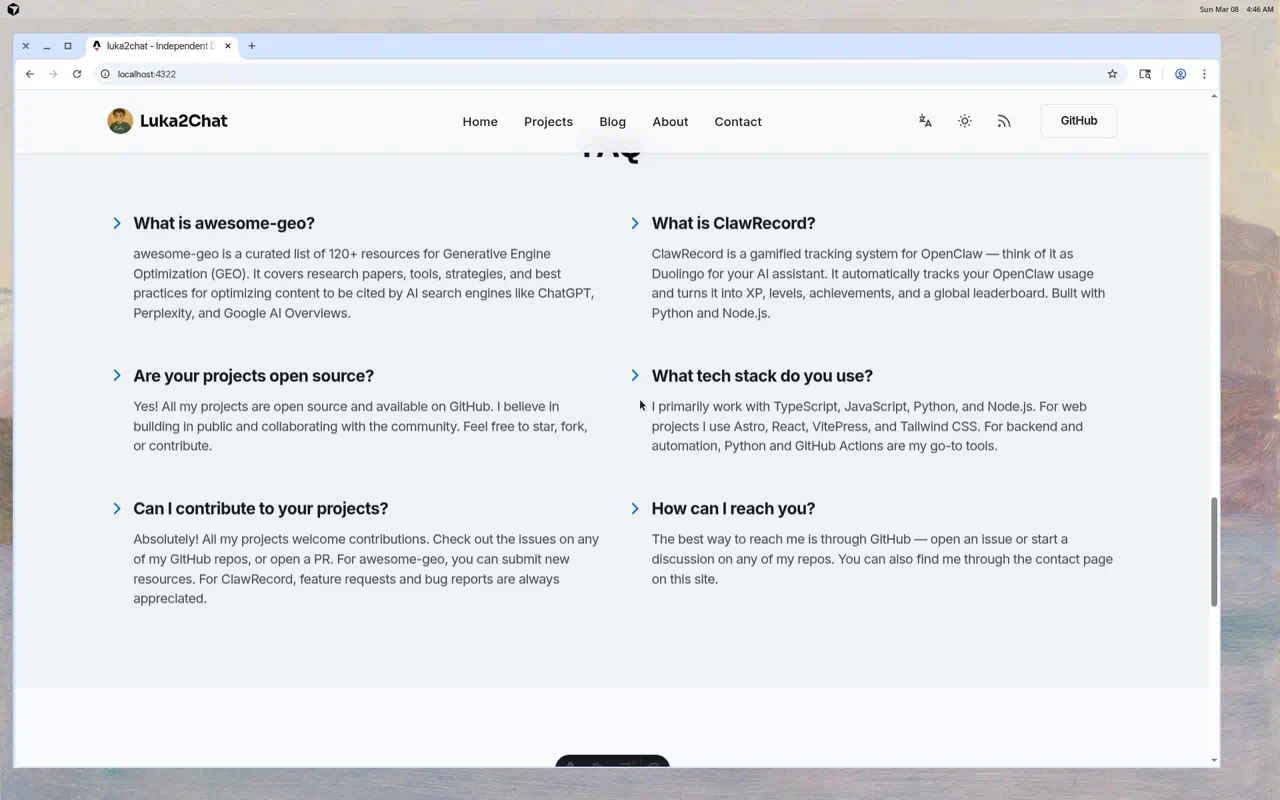
FAQ Section
Before — All answers visible at once, two-column layout, blue chevron icons. Information overload.
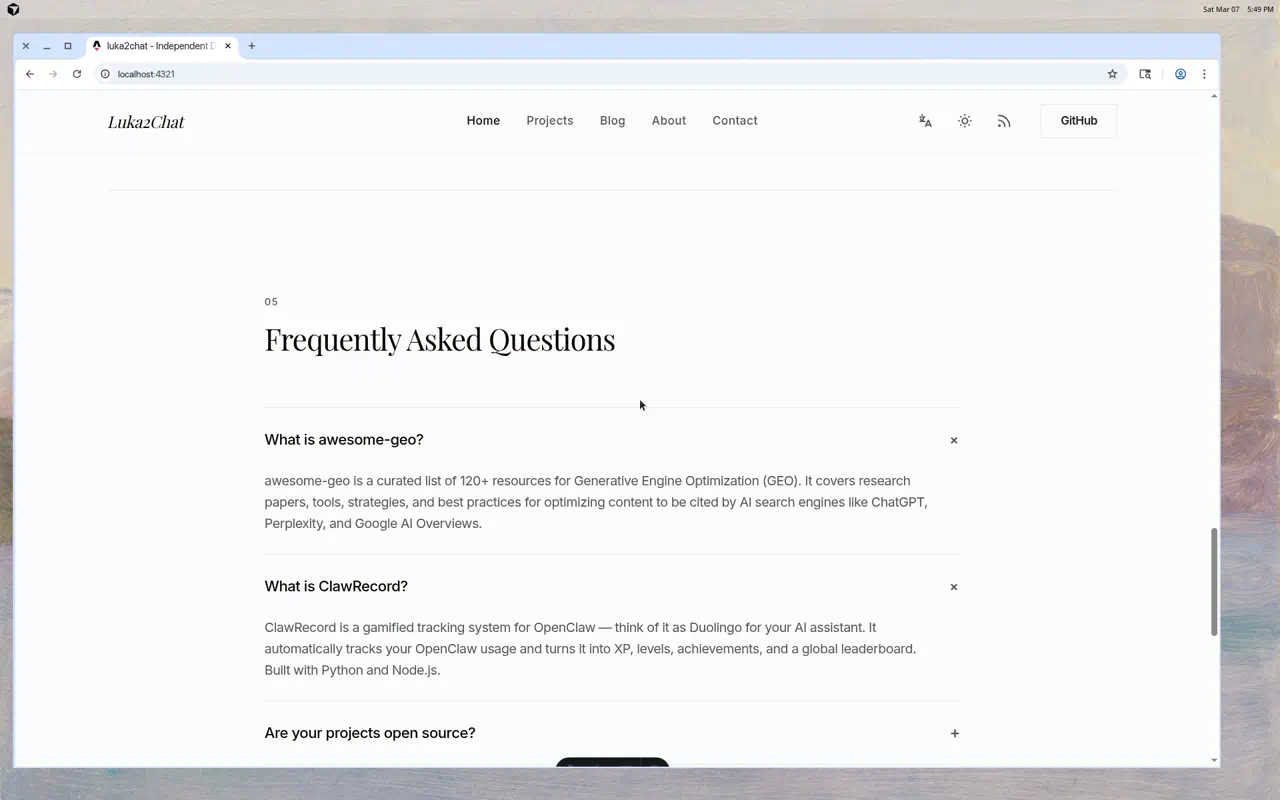
After — Clean accordion with + toggle icons, one question at a time, centered layout with proper breathing room. The serif heading for “Frequently Asked Questions” adds editorial weight.
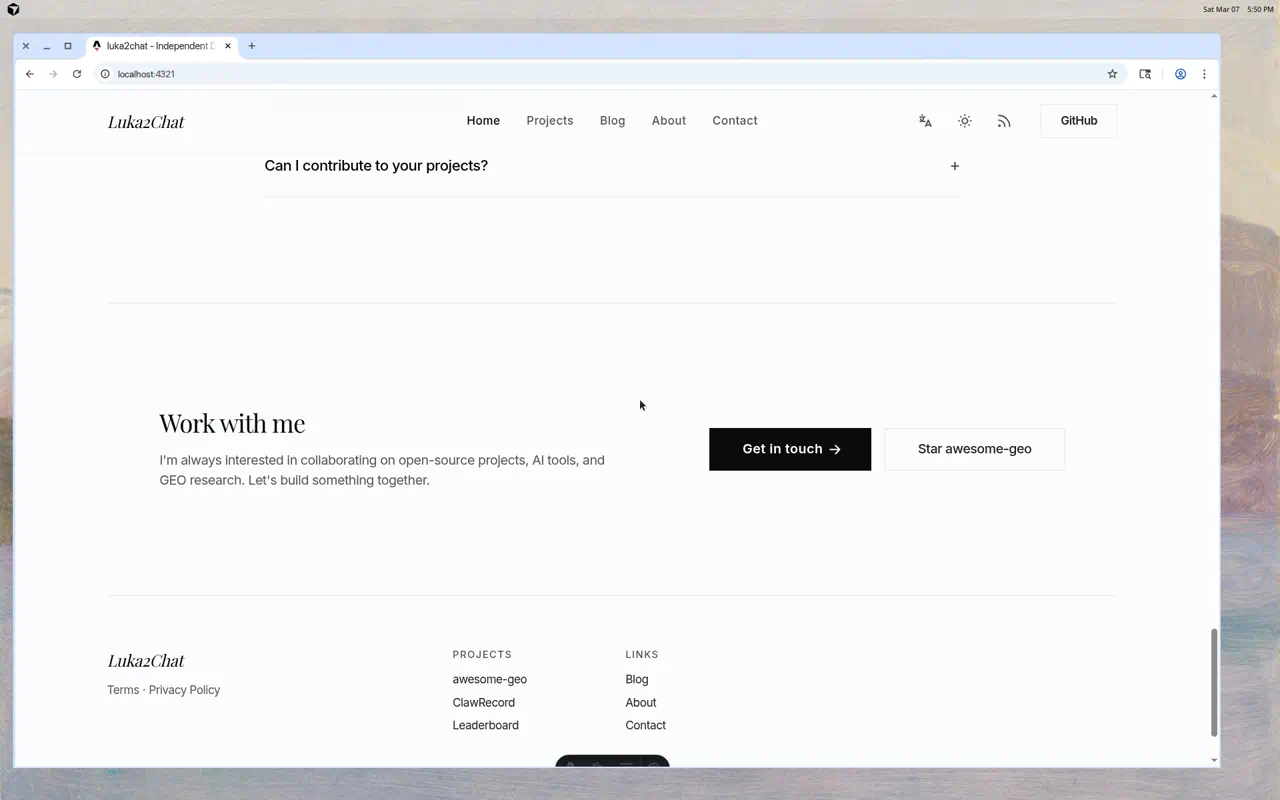
Footer & CTA
Before — Centered CTA box with blue button, disconnected from the rest of the page.
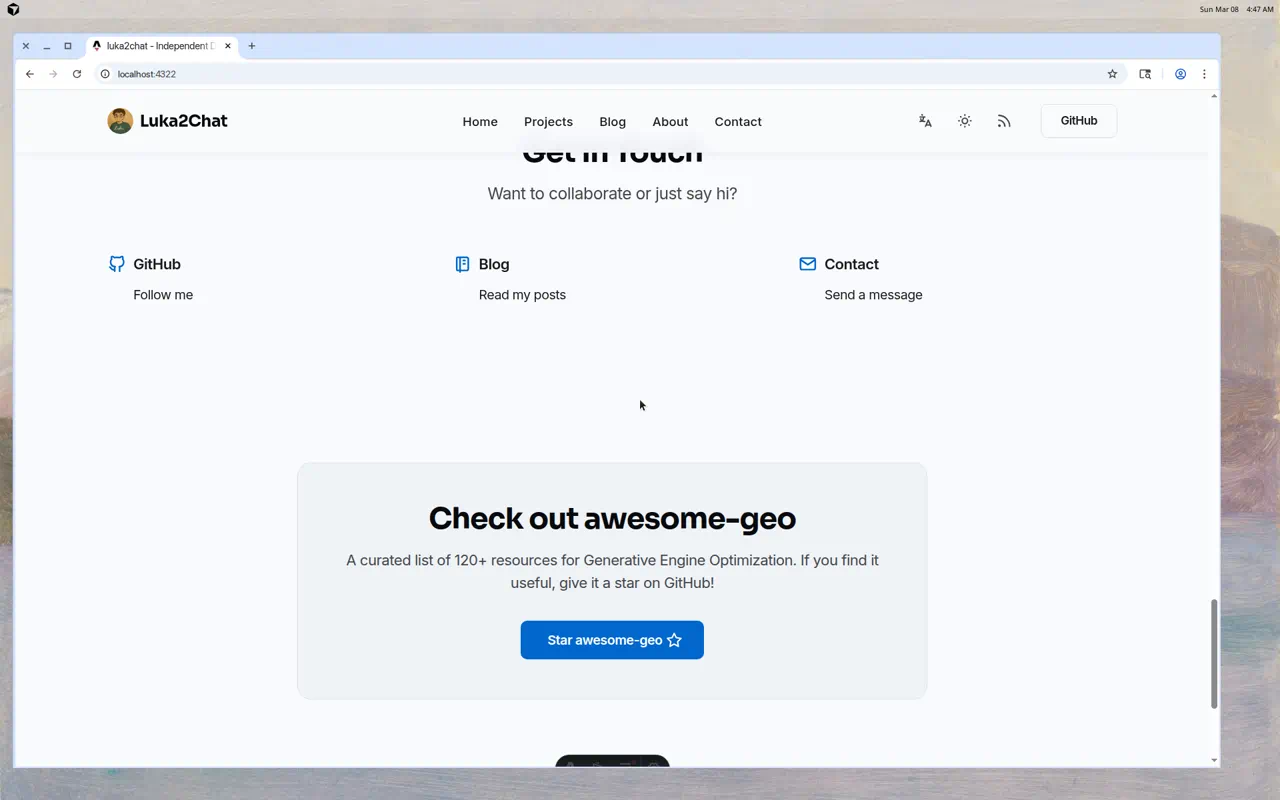
After — Horizontal “Work with me” layout with text on the left and buttons on the right. Black primary CTA, clean secondary outline button. Feels like a magazine closing page.
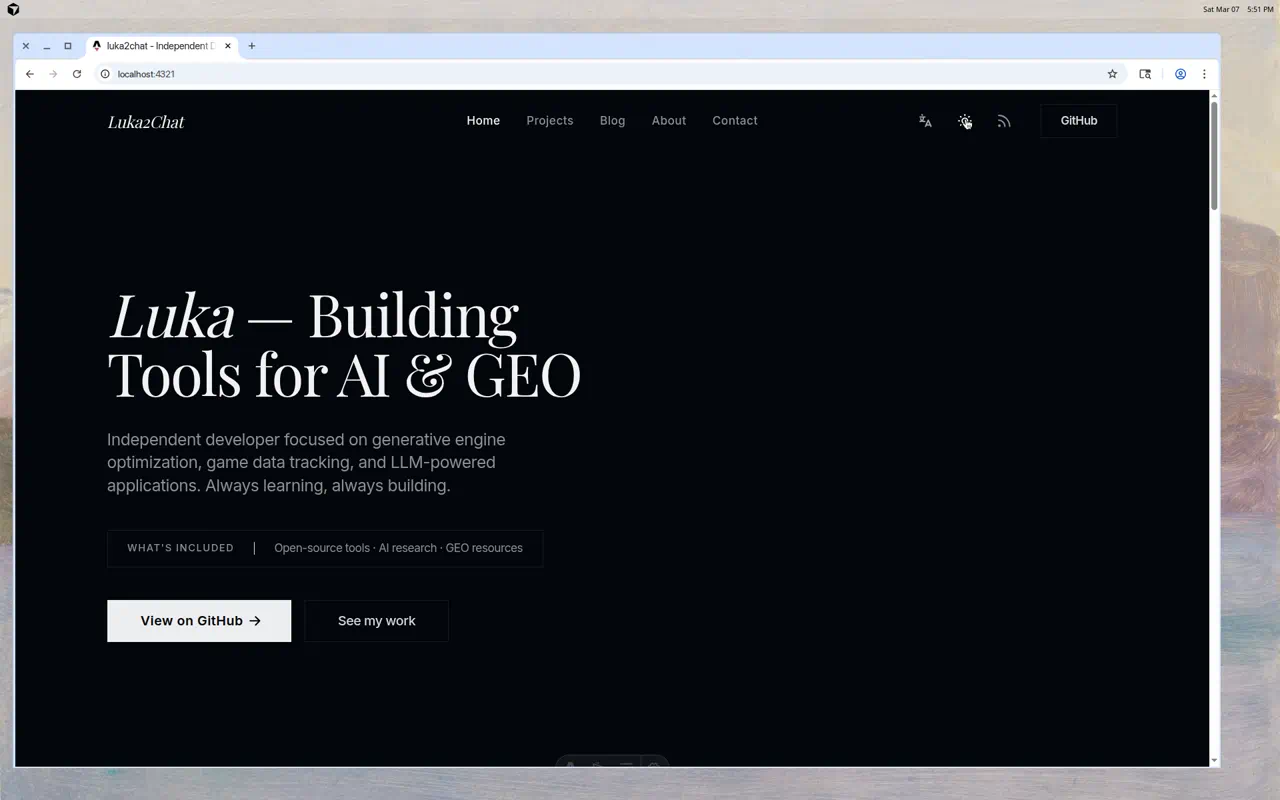
Dark Mode
The redesign also included a complete dark mode refresh — and it looks stunning.
What Changed
The agent touched 21 files and made changes across the entire design system:
- Typography — Swapped from a generic sans-serif heading font to Playfair Display, a classic serif typeface
- Color palette — Replaced the standard blue with a refined magenta/pink accent
- Layout — Shifted from centered to left-aligned editorial style
- Spacing — Dramatically increased whitespace for a premium feel
- Structure — Added numbered sections (01, 02, 03…) and subtle dividers between each
- Buttons — High-contrast black primary CTAs instead of colored buttons
- FAQ — Converted from a static list to an interactive accordion
- Logo — Switched from avatar + bold text to italic serif text-only branding
My Takeaway
This was genuinely impressive. Not because the AI wrote perfect code (it did), but because it made design decisions — it understood that impeccable.style’s appeal comes from its restraint, its typography choices, and its editorial spacing. It didn’t just copy; it adapted the vibe to my content.
The era of spending weekends on CSS tweaks is over. If you have a clear design reference and a good AI agent, you can redesign an entire website in the time it takes to have lunch.
Give Cursor Agent a try. And if you want design inspiration, check out impeccable.style — both the tool and the website are worth your time.